


Dynamix
4.21.40K Reviews
App Specs
- Version
- 3.18.00
- Updated On
- License
- Free
- Downloads
- 1,000,000+
- Developer
- C4Cat Entertainment Limited
- Categories
- Music
- Platform
- Android
Screenshots


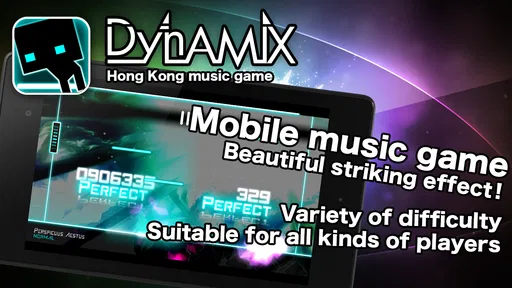
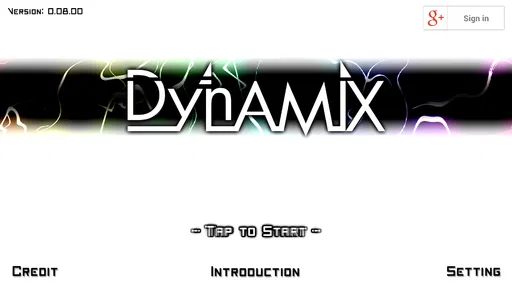
 Analysis by AppCompare
I decide whether a rhythm game is worth keeping by asking a few practical questions: does its input feel distinct, can I make progress in short sessions, and does the challenge feel like something I want to learn rather than a wall I keep hitting? Dynamix is a music game from C4Cat Entertainment Limited that makes its case through a more involved style of play than simple beat tapping. It suits players who enjoy paying close attention to rhythm and building coordination over time, but it may frustrate anyone who mainly wants a relaxed, instantly familiar music game.
A useful way to approach it is to separate liking the music from liking the game. A track can be enjoyable to hear while its chart asks for more concentration than I want at the end of a long day. I’d try a comfortable difficulty first, then judge whether the challenge makes me curious to replay a section or simply tired of missing inputs. That small test is more revealing than deciding from the visual style or soundtrack alone.
What kind of music-game player will enjoy it?
The appeal here is strongest for people who like the physical puzzle of rhythm games: reading prompts, matching movement to timing, and gradually making a difficult sequence feel natural. Its swipes, holds, and directional slides ask for more than the repeated single-finger taps found in many casual music games. That variety gives each session a hands-on quality, though it also means newcomers may need patience before their attention can settle on the music.
I’d recommend it to a player who enjoys practicing one track until a tricky passage stops feeling chaotic. If you only want background entertainment while doing something else, this is a less comfortable fit; the inputs reward focus, and glancing away can break your timing. Someone choosing between this and a conventional tap-based rhythm game should think about whether they want a more involved coordination challenge or an easier game to pick up without much warm-up.
How I’d fit a session into an ordinary day
On a short break, I would pick a familiar song and play at a difficulty that leaves room to enjoy the beat rather than chasing a perfect run. Later, with more time and attention, I’d raise the challenge and use repeat attempts to work on the sections that keep catching me. That split makes the game useful both as a quick music break and as a longer skill-building activity, without pretending every session needs to be a serious score chase.
One practical tip is to change only one thing at a time when a chart feels overwhelming. If I’m struggling, I’d first lower the difficulty or return to a track I already know instead of trying to improve speed, accuracy, and unfamiliar patterns all at once. Familiar music helps me notice whether I’m missing the beat or simply not reading the screen quickly enough. That distinction can make practice feel less random.
Choosing between challenge and convenience
Compared with music games built around straightforward taps, this one asks more of my hands and attention. That is a real strength when I want a game that feels active, but it is also its main trade-off: the added input variety can make play less comfortable for someone with limited time, reduced finger mobility, or a preference for low-pressure sessions. I’d choose a simpler alternative when I want to play casually without learning a chart’s movement patterns.
Worth Reading Before You Choose

EA SPORTS FC Mobile 26 Is a Bigger Football Game, but It Takes Time

Flipboard Shows What News Apps Must Do Beyond the Feed

Switching to Android Auto Means Rethinking Your Driving Routine

Google Calendar Makes a Crowded Week Easier to Manage

Ludo King Makes the Most of the Minutes Between Plans

Baby Panda World Brings Quick Play to Modern Phones, but Its Game Library Feels Busy
It also sits differently from music apps that focus mainly on listening. Here, the music is part of an interactive task, so I would not use it as a substitute for a playlist or a passive listening experience. The best fit is a player who wants to engage with a song through timing and movement. If the main goal is to discover music without needing to perform, a listening-focused option is a better match.
Free to start, with a few things to weigh
The game is free to download, is rated for Everyone, and includes optional in-app purchases priced from $1.29 to $20.99 per item. I’d start by playing what is available without spending and decide whether the core routine holds my interest before considering any purchase. The range of optional prices makes it sensible to pause and check what an item offers rather than treating every purchase as necessary for enjoying the game.
It has been available since October 29, 2014, and its current version is 3.18.00. The game has more than a million installs and an average rating of 4.2 from around 49,000 ratings, alongside roughly 1,400 written reviews. Those figures suggest a substantial audience, but they don’t tell me whether its particular style will suit my hands or taste; a few careful practice sessions are a better personal test.
Getting past the first difficult sessions
For a new player, the important question is not whether the hardest charts look impressive but whether the early learning process feels rewarding. The tutorial and easier settings offer a place to learn the basic gestures, while higher difficulties provide a reason to return once the patterns become familiar. I would resist jumping straight to the toughest option: a string of misses can obscure what makes the game satisfying, and progress is easier to judge when I can recognize the beat and the movement separately.
There is also a useful distinction between a chart that is hard because it is fast and one that is hard because its pattern is unfamiliar. On the latter, I’d replay at a manageable level and watch for the sequence of gestures rather than trying to react to every note as a surprise. On the former, I’d decide whether I enjoy the pressure before investing more practice. This keeps the game from turning a spare moment into an obligation.
Device comfort matters, too. Since the play depends on moving fingers across the screen, I’d try a few songs while holding the device the way I normally do and see whether that position remains comfortable. A setup that feels fine for one chart may become awkward during a longer session. Short rounds are a sensible starting point, especially for anyone still learning how much movement the controls demand.
How much variety matters over time?
The soundtrack is a meaningful part of the game’s identity, and I liked having different moods to play through, from calmer tracks to more intense ones. For me, variety matters not just because it keeps the sound fresh, but because different music can change how I approach a session: a gentler piece is a better warm-up, while a busier one gives me a sharper coordination test. I would use that range deliberately instead of choosing the hardest-sounding song every time.
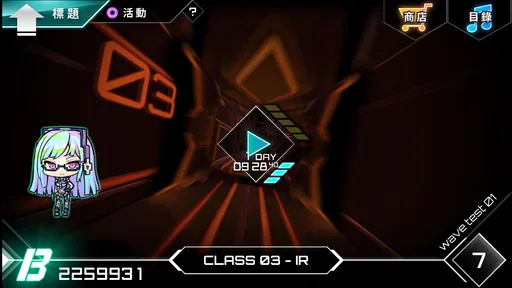
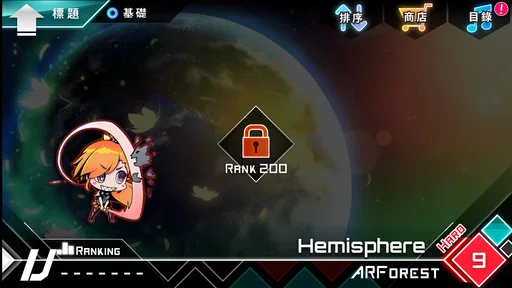
Unlocking tracks and difficulties gives progression a clear purpose, but it also means the experience unfolds over time rather than placing everything in front of a new player immediately. If you are wondering whether you can jump straight into every song, expect some progression as you play. I see that as motivation when I enjoy working toward the next option; it is less appealing if I want unrestricted access from the first session.
The neon visual treatment supports the music without making every moment feel like a separate spectacle. Still, bright visuals and dense prompts can become tiring when I’m concentrating hard. When that happens, taking a break is more useful than forcing another attempt. The game works best for me when I can give both the sound and the moving cues proper attention, not when I’m squeezing it into a moment already full of distractions.
Progress, community, and realistic expectations
Updates and a player community can help keep a long-running music game in people’s conversations, and players share tips, scores, and fan art in online spaces. I’d treat those community discussions as inspiration rather than a standard I have to match. Someone else’s high score can show what mastery looks like, but comparing early attempts with experienced players is an easy way to make a personal game feel like homework.
If you are deciding whether the game will stay interesting after the first burst of novelty, ask whether you enjoy improving at the same material as well as discovering new tracks. The appeal is not only in seeing new content; it is also in the satisfaction of understanding a pattern that once seemed unreadable. If repeated practice feels dull to you, a broader casual music game may be a better long-term choice.
The Beat of Dynamix
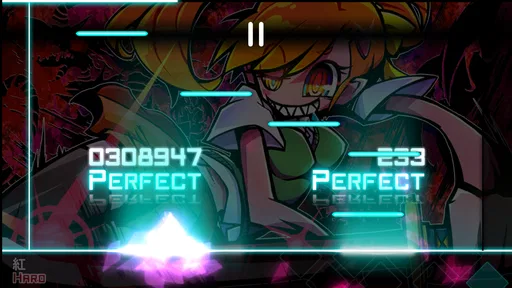
First off, let's talk about the gameplay. Dynamix is a rhythm game that throws a unique twist on the traditional formula. Instead of just tapping the screen to the beat, you're swiping, holding, and even sliding your fingers in different directions. It’s a bit like dancing on your phone screen, and honestly, it's a blast once you get the hang of it.
The game features a wide array of tracks, ranging from chill tunes to intense beats that will have your fingers in overdrive. The soundtrack is one of my favorite parts of the game. It’s diverse enough to keep things fresh, and I found myself discovering new favorite songs as I played.
Getting Started
When you first boot up the game, you'll find a sleek and inviting interface. It’s not cluttered, which I appreciate, as it makes it easy to jump straight into the action. As you progress, you unlock new tracks and difficulties, which keeps the game interesting and challenging.
For newcomers, the learning curve might be a bit steep, especially if you're not used to rhythm games. But fear not! The game does a decent job of easing you into the mechanics with its tutorial and easy mode. Once you're feeling confident, you can crank up the difficulty and really test your skills.
Visuals and Style
Visually, Dynamix is a standout. The graphics are crisp, and the neon-infused design gives it a cool, futuristic vibe. Each track comes with its own unique visual theme, which adds to the overall immersion. Whether you’re playing a soothing melody or a hardcore techno track, the visuals complement the music perfectly. It’s a feast for both the eyes and ears.
One thing I particularly enjoyed is how the game manages to keep the visuals engaging without being distracting. In rhythm games, this balance is crucial, and Dynamix nails it.
Community and Updates
The developers seem pretty active, frequently rolling out updates with new songs and features. This keeps the game fresh and ensures there's always something new to look forward to. Plus, with a thriving community, you can find plenty of online forums and social media groups where players share tips, high scores, and even fan art.
It’s always nice to see a game with a dedicated player base, and Dynamix certainly has one. The community aspect adds an extra layer of enjoyment as you can connect with fellow rhythm game enthusiasts.
Final Thoughts
Overall, Dynamix is a fantastic addition to any rhythm game lover's library. It offers a fresh take on the genre with its unique gameplay mechanics and a soundtrack that’s sure to get your toes tapping. While it might be a bit challenging for beginners, the thrill of mastering a complex track is well worth the effort.
If you’re looking for a game that will keep you entertained and your fingers busy, give Dynamix a try. Whether you’re a seasoned rhythm game veteran or a curious newcomer, there's something here for everyone. So go ahead, download it, and let the music move you!
Pros
- Engaging rhythm gameplay mechanics.
- Wide variety of music genres included.
- Frequent updates with new songs.
- Intuitive touch controls for ease of play.
- Visually appealing interface design.
Cons
- Can be challenging for beginners.
- In-app purchases can be pricey.
- Requires a stable internet connection.
- Battery drain can be significant.
- Ads can interrupt gameplay.
FAQs for Dynamix
What is Dynamix and how does it differ from other rhythm games?
Dynamix is a unique music rhythm game that combines elements of traditional rhythm gameplay with a multi-sliding note system. Unlike other rhythm games, Dynamix offers a three-track system that challenges players with varied note patterns and difficulty levels. The game provides a diverse range of music genres, making it stand out for its innovative approach and engaging gameplay experience.
Is Dynamix suitable for beginners or only for experienced players?
Dynamix caters to both beginners and experienced players. It offers a range of difficulty levels, from easy to expert, allowing players to choose their level of challenge. The tutorial mode is particularly helpful for newcomers, guiding them through basic gameplay mechanics and gradually easing them into more complex note patterns as they gain confidence.
Does Dynamix require an internet connection to play?
Dynamix can be played offline, which is great for users who want to enjoy the game without an internet connection. However, to access additional features such as downloading new songs or participating in online leaderboards, an internet connection is necessary. This flexibility makes it convenient for on-the-go gaming.
What type of music genres can I expect in Dynamix?
Dynamix offers a wide array of music genres, ensuring there’s something for everyone. Players can enjoy tracks ranging from classical and jazz to electronic, rock, and pop. This diversity not only keeps the gameplay fresh but also allows players to discover new music styles as they progress through the game.
Are there any in-app purchases in Dynamix, and are they necessary?
Dynamix offers in-app purchases that allow players to unlock additional songs and features. While these purchases can enhance the gaming experience, they are not necessary to enjoy the core gameplay. Players can progress and unlock content through skill and dedication, making in-app purchases optional rather than required.


